Sigen Gateway HomePro 1P AU
GET A FREE QUOTE
QUICK REVIEW
Whole-Home Backup for Single Phase Homes
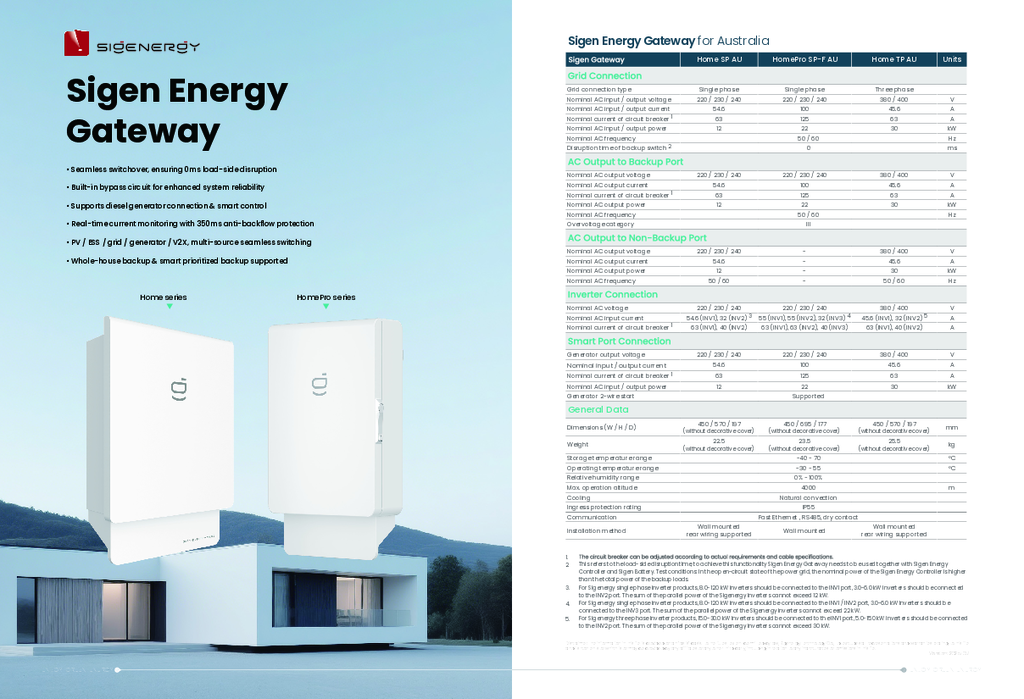
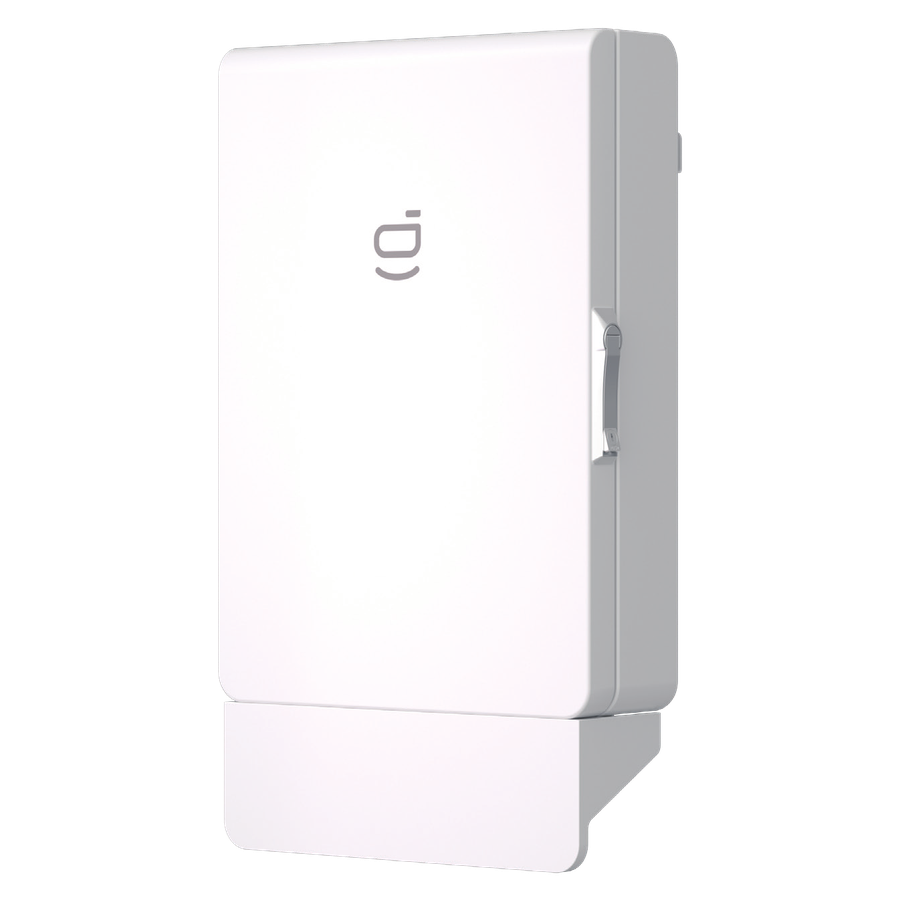
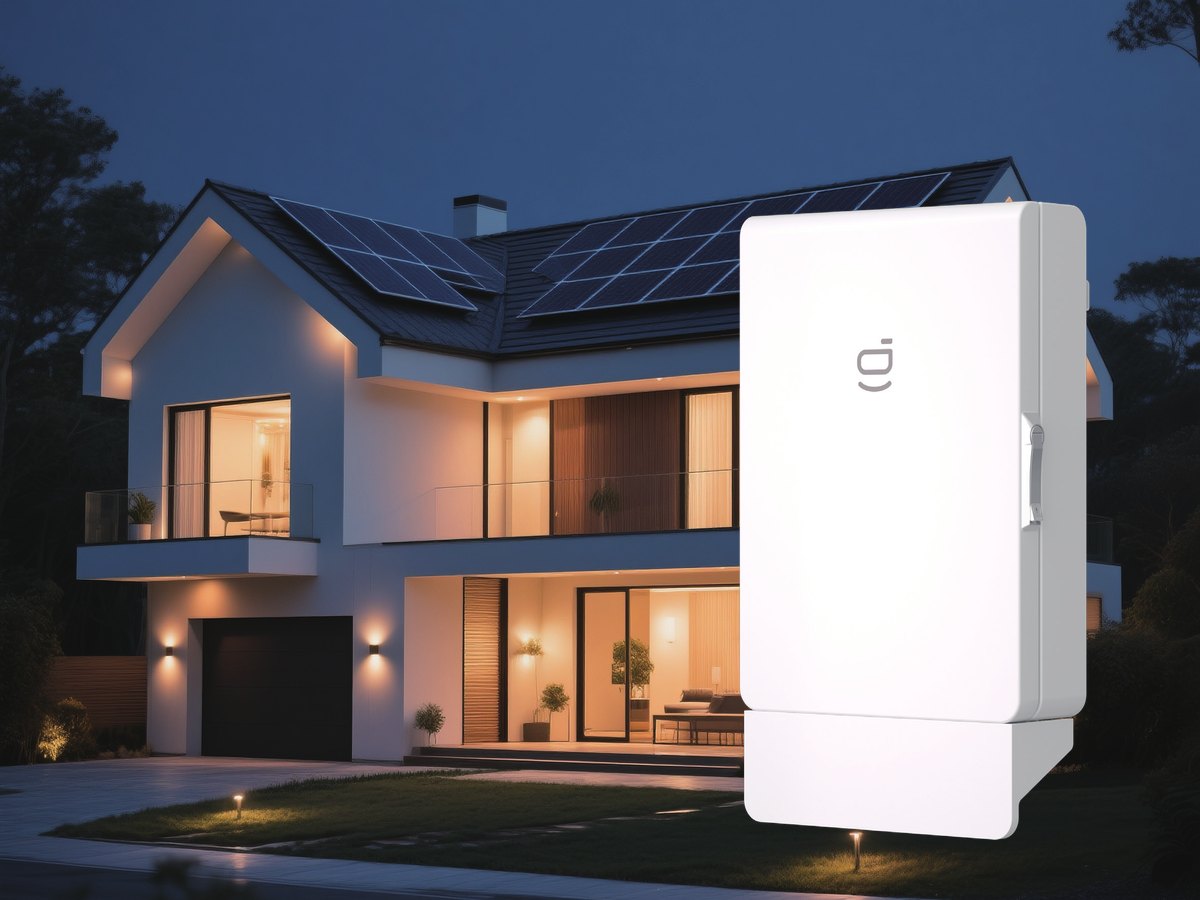
The Sigen Energy Gateway HomePro SP-F AU pairs with SigenStor to keep the whole home running in a blackout. Its 100A, 22kW rating covers the full switchboard, not just a few essential circuits.
Seamless Backup Power Transition
0 ms load-side switchover when the grid drops out
100A high-current design for whole-home backup
Built-in bypass circuit for enhanced reliability
Diesel generator connection with smart 2-wire start
100 ms zero export protection with real-time current monitoring
Available in: HomePro SP-F AU (Single Phase)
Whole-Home Backup: 100A Capacity
Most backup solutions only protect a handful of essential circuits. The HomePro is rated for 100A and 22kW on its backup port, so it can carry the whole home through a grid outage, not just the fridge and the lights.
Zero Interruption: 0 ms Switchover
When the grid drops out, the gateway isolates your home and switches to battery and solar power with 0 ms disruption on the load side. Computers, modems and appliances keep running as if nothing happened. A built-in bypass circuit adds another layer of reliability.
Multi-Source: Grid, Solar, Battery, Generator and EV
The HomePro manages every energy source in the home and switches between them seamlessly. A dedicated generator / smart port supports a backup diesel generator with 2-wire automatic start, and up to two Sigen single phase inverters can be connected. V2X support means it is ready for vehicle-to-home backup as standards allow.
Safe & Smart: Responsive and Compliant
Real-time current monitoring lets the gateway respond to grid conditions fast, keeping your system within the export rules set by your network.
100 ms zero export protection
Fast Ethernet, RS485 and dry contact communications
Monitoring and control through the mySigen app
Testimonials
What they are saying about us
F.A.Q
Frequently Asked Questions
-
I have a two phase site (not SWER) and I am installing a single phase inverter on one of the phases. What smart meter do I use in this scenario and can I do export limiting?
If export limit needs to be done on this site across all the phases then a three phase smart meter will need to be used. If the DNSP doesn’t require export limitation on each of the individual phases then it’s better to use a three phase smart meter because it will export limit once considering the total consumption across all the phases added together.
-
I am installing 2 x single phase inverters across 2 different phases and the DNSP requires export limitation per phase, what should be done?
If the DNSP requires export limit on each of the individual phases then a single phase smart meter will need to be used on each phase because the three phase smart meter will not do export limitation per phase. Under this scenario please note that you will not be able to set it up as a single system in Fronius Solar.web
-
What are the benefits of rooftop solar power?
There are many benefits in installing a solar PV system including:
- Reduce or eliminate your power bill - you can regain control of your electricity costs.
- A revenue generating asset - you make back many times the initial cost of the system over the lifetime of your solar PV system.
- Add value to your home - a solar system adds value to your home increasing the resale value.
- Reduce your carbon footprint - a solar system generates no greenhouse gases while in operation giving you zero carbon power and lowing your overall carbon footprint.
- Reduce or eliminate your power bill - you can regain control of your electricity costs.
High Current, Whole Home
The HomePro SP-F AU is built around a 100A, 22kW backup path, so the whole switchboard stays powered during a grid outage.
100A grid, backup and generator ports
22kW nominal backup output
Built-in bypass circuit
Enhanced Connectivity
Connect up to two Sigen single phase inverters, a backup generator with 2-wire start, and communicate over Fast Ethernet, RS485 and dry contact.
Full Backup: Uninterrupted Power
The HomePro keeps your home running whatever the source.
Multi-Source Switching: PV, battery, grid, generator and V2X switch seamlessly.
0 ms Load Side Disruption: No flicker or restart when the grid drops out.
100 ms Zero Export Protection: Real-time current monitoring keeps you compliant with network export rules.
Sigen Energy Gateway HomePro SP-F for Australia
| Sigen Gateway | HomePro SP-F AU | Units |
Grid Connection | ||
| Grid connection type | Single phase | |
| Nominal AC voltage | 220 / 230 / 240 | V |
| Nominal AC current | 100 | A |
| Nominal AC power | 22 | kW |
| Nominal AC frequency | 50 / 60 | Hz |
| Disruption time of backup switch 1 | 0 | ms |
AC Output to Backup Port | ||
| Nominal AC voltage | 220 / 230 / 240 | V |
| Nominal AC current | 100 | A |
| Nominal AC power | 22 | kW |
| Nominal AC frequency | 50 / 60 | Hz |
| Overvoltage category | III | |
Inverter Connection | ||
| Max. number of connections | 2 | |
| Nominal AC voltage | 220 / 230 / 240 | V |
| Nominal AC current 2 | 55 / 55 / 32 | A |
| Nominal AC power 2 | 12 / 12 / 6 | kW |
Generator / Smart Port Connection | ||
| Generator output voltage | 220 / 230 / 240 | V |
| Nominal current | 100 | A |
| Nominal AC power | 22 | kW |
| Generator 2-wire start | Supported | |
General Data | ||
| Dimensions (W / H / D) | 450 / 695 / 177 (without decorative cover) | mm |
| Weight | 23.5 (without decorative cover) | kg |
| Storage temperature range | -40 ~ 70 | °C |
| Operating temperature range | -30 ~ 55 | °C |
| Relative humidity range | 0% ~ 95% | |
| Max. operation altitude | 4000 | m |
| Cooling | Natural convection | |
| Ingress protection rating | IP55 | |
| Communication | Fast Ethernet, RS485, dry contact | |
| Installation method | Wall mounted | |
1. Load-side disruption time. Requires the Sigen Energy Controller and Sigen Battery, with the Energy Controller rated above the total backup load.
2. For Sigenergy single phase inverters, 8.0-12.0 kW inverters connect to the INV1 / INV2 port and 3.0-6.0 kW inverters connect to the INV2 port. Only two inverters can be connected to the Gateway.
To ensure the long-term operating of the equipment, you are advised to perform routine maintenance according to this section.
! DANGERTo remove the inner panel, ask a professional for evaluation before proceeding. |
Inspection Items | Inspection Method | Power Off or Not | Maintenance Interval |
System cleaning | Check the device regularly for shielding and dirt. If so, clean it up. Do not use tools that may cause electric shock or insulation damage, such as wire brushes and during the cleaning process. | Yes | Once every 3 months |
System operating state |
| No | Once every 6 months |
Electrical connection |
| Yes | Check once every 6 months after creating new systems and once every 6 to 12 months thereafter. |
Grounding reliability | Check whether the ground cable is properly and reliably connected. | No | Check once every 6 months after creating new systems and once every 6 to 12 months thereafter. |